top of page

FrogTime Manual

Content

Copy and Paste Time Bars
(lightning fast!!!!!)

Very convenient:

You can create many time entries one after the other in a flash by using the "copy function".

Content

Step1

Step 1

Right Mouse Click on Time Entry

69 EN Double Click Time Bar.JPG

Context menu opens.

Step 2

Select "Copy Time Entry"

74 EN Context Menu Copy.JPG
Step2

Step 3

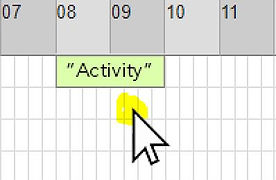
Right mouse click in the grid

75 EN Context Menu Grid Click.JPG

Context menu opens.

Step3

Step 4

Select "Paste copied Time Entry"

76 EN Context Menu 2.JPG
Step4

Step 5

Result

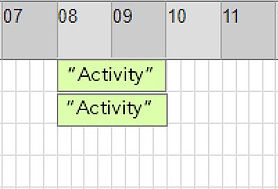
An identical time entry is created on another day:

77 EN Inserted Time Bar.JPG
Step5

Step 6

Repeat Step 4 + 5

"Paste Copied Time Entry" can be used multiple times in a row, allowing many time entries to be created in a row in a matter of seconds:

78 EN 4xInserted Time Bars.JPG
Step6
bottom of page